

Affiliate disclosure: Cord Cutter Tips may earn a commission from qualifying purchases made through links in this guide.
Key Takeaways
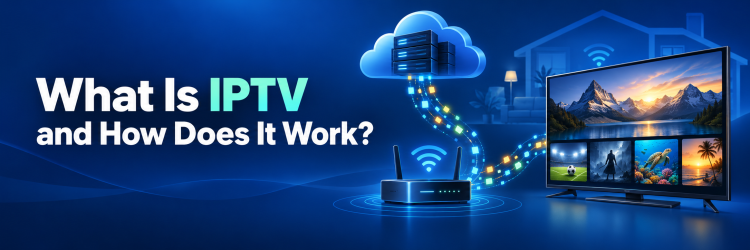
What is IPTV and how does it work? IPTV, short for Internet Protocol Television, delivers live channels and on-demand video as internet data instead of sending every channel through a cable line, satellite signal, or terrestrial antenna. In my review of the underlying standards, the practical difference is choice: an IPTV system can send the requested channel or program to a compatible app or set-top box, while also supporting program guides, pause controls, catch-up viewing, and account authorization.
The technology itself is legal; legality depends on whether the service has permission to distribute its content. A stable connection, compatible player, legitimate subscription, and correctly configured home network are the essentials. The service, app, and playback device are separate parts, so verify each carefully before paying.
What Is IPTV?
Internet Protocol Television is a system for delivering television, video, audio, program information, and interactive features over an IP-based network. I use the formal distinction because “IPTV” is often applied loosely to almost any video watched online. The International Telecommunication Union describes IPTV as multimedia delivered over managed IP networks that support defined levels of quality, security, interactivity, and reliability.
“Internet Protocol” refers to the rules that let addressed packets of data travel across networks. Instead of reserving a separate broadcast path for television, IPTV converts a program into digital data, transports it through a broadband connection, and reconstructs it on the viewer’s device. The picture may look like ordinary television, but the delivery path is closer to opening a requested internet service.
The label covers several experiences. A provider may deliver scheduled live channels, a video-on-demand library, recently aired programs, or all three. Traditional telecom IPTV commonly runs across an operator-managed network and uses a supplied set-top box. Consumer marketing also uses IPTV for services reached through the public internet with a smart-TV app, streaming stick, phone, tablet, or computer. That broader usage overlaps with over-the-top streaming, although the network control and service model may differ.
How Does IPTV Work From the Provider to Your Screen?
An IPTV session passes through a chain of systems rather than one mysterious “IPTV box.” In my analysis, understanding that chain is the fastest way to diagnose problems: a failure can begin with the source, provider platform, content-delivery network, home internet, Wi-Fi, player, or television. The viewer normally sees only the final app, but several coordinated steps occur before a frame appears.
| Stage | What happens | What the viewer notices |
|---|---|---|
| Content source | Live feeds or stored programs enter the system | Channel and title availability |
| Processing | Video is encoded, compressed, and packaged | Resolution, audio, captions, and delay |
| Delivery | Servers send packets by unicast or multicast | Startup and channel changes |
| Home network | The router carries data by Ethernet or Wi-Fi | Stability or buffering |
| Playback device | The app authenticates, decodes, and displays video | Menus, picture, and controls |
The provider encodes a live feed or stored file, often at several bitrates, and sends the packaged data through its network. HTTP Live Streaming is one adaptive method. The receiving device validates the account, requests a title, buffers data, decodes it, and displays it. Managed live systems may use multicast so one feed serves many subscribers efficiently.
The Three Main Types of IPTV Viewing
IPTV describes a delivery technology, not one fixed program format. I separate it into three viewing modes because the controls, delay, storage, and network behavior differ. One subscription can combine all three, and a provider’s menu may use brand-specific names rather than the technical terms below.
Before subscribing, check which channels support each mode, how long catch-up programs remain available, whether recordings count against a storage allowance, and whether replay controls permit fast-forwarding. Those practical limits often matter more than the label. Live service also depends on the provider’s real-time capacity, while stored programs can be cached and delivered more predictably.
Live IPTV
Live IPTV carries scheduled channels or events while they are happening. In my comparison, it feels closest to cable or satellite: viewers choose a channel from an electronic program guide and watch the current program. Internet delivery introduces some delay because the provider must encode, package, transport, buffer, and decode the video. News, sports, weather, and scheduled entertainment are common live uses. A legitimate service still needs distribution rights for every channel and territory it offers; the word “live” says nothing about authorization.
Video on Demand
Video on demand, or VOD, lets the viewer select a stored movie, episode, replay, or other program and start it independently of a schedule. I consider the key advantage to be session control: pause, rewind, fast-forward, and resume features are easier to provide when each viewer receives a requested asset. The catalog may be included with a subscription, supported by advertising, rented individually, or purchased. Availability can change when licenses expire, so a title shown in a service’s marketing should not be treated as permanent.
Time-Shifted and Catch-Up TV
Time-shifted IPTV makes recently broadcast programming available after its scheduled transmission. In my review, “catch-up,” “restart TV,” and network recording are related but not identical. Catch-up usually exposes programs retained by the provider for a limited window; restart begins an in-progress show from its opening; cloud DVR stores selected programs under account rules. Rights, retention periods, ad controls, and fast-forward permissions vary by channel and region. Check the actual feature terms rather than assuming every live channel supports the same playback controls.
IPTV vs Cable, Satellite, and Streaming Apps
The everyday choice is less about labels than about delivery, equipment, channel rights, and failure points. I compare IPTV with adjacent options because a familiar interface can hide meaningful differences. A cable operator may use IP inside its network, while an app marketed as IPTV may travel entirely over the public internet; the service contract matters more than the icon on the home screen.
| Option | Delivery path | Typical equipment | Main strength | Main tradeoff |
|---|---|---|---|---|
| IPTV | Managed or public IP network | Box, app, or streaming device | Live and on-demand integration | Network-dependent quality |
| Cable TV | Operator coax/fiber network | Cable box or operator app | Local channels and operator support | Fees and limited portability |
| Satellite TV | Satellite broadcast to a dish | Dish and receiver | Wide geographic reach | Installation and weather exposure |
| Antenna TV | Local broadcast | Antenna and tuner | No recurring reception fee | Location-dependent channels |
| OTT streaming app | Public internet | App or browser | Broad device access | Fragmented, changing catalogs |
The boundary between IPTV and OTT is inconsistent. IPTV often means a managed service, while OTT video uses a general internet connection, yet both labels appear in marketing. Ask who operates the service, which devices work, whether channels are licensed locally, and how many streams can play together. Cable or satellite may still suit homes with weak broadband.
What Equipment Do You Need for IPTV?
Most households already own part of an IPTV setup. In my checklist, the non-negotiable pieces are a broadband connection, a compatible playback device, the provider’s authorized app or receiver, and a display. Buying a box before confirming support is a common mistake; a television can be technically capable of streaming yet lack the required app, codec, digital-rights system, or regional store listing.
- Internet service: The connection must provide enough sustained bandwidth for the chosen resolution and every simultaneous stream in the home.
- Modem and router: These distribute the connection by Ethernet or Wi-Fi. Older routers may struggle with several high-bitrate streams.
- Playback device: This can be a smart TV, operator set-top box, streaming stick, phone, tablet, computer, or another device specifically listed by the service.
- Authorized player or app: Some services require their own app; a generic player usually includes no channels.
- Account or subscription: Credentials define entitled channels, devices, streams, and regions.
- Optional Ethernet cable: A wired connection removes many Wi-Fi interference variables.
Before paying, confirm the exact device model and operating-system version on the provider’s official compatibility page. “Android support” does not necessarily mean Android TV support, and a phone app may lack a television interface. Also separate registered-device limits from simultaneous-stream limits; they are frequently different.
How Much Internet Speed and Data Does IPTV Use?
There is no universal IPTV speed because compression, frame rate, resolution, HDR, and provider overhead vary. I treat published figures as minimum planning references rather than guarantees. Current official guidance illustrates the range: Netflix recommends at least 3 Mbps for 720p, 5 Mbps for 1080p, and 15 Mbps for 4K, while YouTube’s playback guidance lists roughly 2.5 Mbps for 720p, 5 Mbps for 1080p, and 20 Mbps for 4K.
| Viewing target | Practical planning range per stream | Approximate data used per hour at that rate |
|---|---|---|
| Standard definition | 1-3 Mbps | 0.45-1.35 GB |
| 720p HD | 3-5 Mbps | 1.35-2.25 GB |
| 1080p Full HD | 5-10 Mbps | 2.25-4.5 GB |
| 4K UHD | 15-25 Mbps | 6.75-11.25 GB |
The figures are mathematical estimates based on sustained bitrate, not promises for a particular service. Adaptive quality, protocol overhead, and background traffic change actual use. For capacity planning, add every simultaneous stream and leave room for calls, downloads, and normal variation. Test at the playback device during the busiest viewing period. If the internet plan has a monthly cap, check the provider’s usage meter rather than estimating from subscription hours.
Is IPTV Legal and Safe to Use?
IPTV is legal technology. In my legal-risk check, the decisive issue is authorization: a service needs the necessary rights to distribute each channel, movie, program, and event in the viewer’s territory. A polished app, a functioning payment page, a playlist that loads, or a claim of “worldwide channels” does not prove that those rights exist. Laws and consumer remedies also differ by jurisdiction, so this section is general information rather than legal advice.
Legitimate IPTV includes telecom packages, broadcaster services, licensed live-TV packages, and authorized on-demand platforms. The U.S. Federal Trade Commission warns that illegal streaming apps and add-ons can carry malware and expose credentials or financial information. Warning signs include an implausibly cheap premium catalog, no identifiable company, cryptocurrency-only payment, disposable-message support, instructions to turn off security, or apps hosted as unknown files. To reduce risk:
- Subscribe through the provider’s official site or a recognized app store listing.
- Look for a real business identity, usable terms, privacy information, and clear cancellation rules.
- Avoid sellers that promise every premium channel and event for a price far below licensed alternatives.
- Do not install modified apps, accept unknown device-management profiles, or switch off security controls.
- Use a unique password and a payment method with appropriate consumer protections.
Benefits and Limitations of IPTV
IPTV can consolidate live television, replay features, and on-demand programs into one searchable interface. I find its strongest benefit is interactivity: the viewer can request a title, resume on another device, use a program guide, or change quality without waiting for a fixed broadcast path. The same flexibility creates additional dependencies that should be weighed before replacing an existing service.
Potential benefits include broad device choice, searchable catalogs, profiles, program guides, captions, parental controls, and package changes without a technician. Internet delivery can make niche programming easier to reach when the provider holds the rights.
The limitations are equally practical. Playback stops when the connection fails. Wi-Fi interference may affect one room. Licenses can remove channels, and live streams normally trail antenna, cable, or satellite broadcasts. Apps can lose device support. IPTV also does not guarantee savings: internet, multiple services, sports packages, and hardware fees can exceed the expected budget. Compare the full checkout price, taxes, rental fees, stream limits, contract, and cancellation process.
How to Choose a Legitimate IPTV Service
A safe choice begins with content needs and ends with verified terms. In my evaluation process, the best service is not the one advertising the largest channel number; it is the one that legally carries the programs the household actually watches, works on owned devices, fits the connection, and provides understandable billing and support. Use a short trial only when its renewal and refund terms are clear.
- List must-have content: Note local stations, sports, news, language packages, and on-demand titles.
- Confirm territorial rights: Check the channel lineup for the viewer’s region. Rights often change across borders.
- Verify exact device support: Match the television or player model, operating system, and app-store region to the provider’s compatibility list.
- Check simultaneous use: Confirm how many streams can play at once, not merely how many devices can hold the app.
- Read the full price: Check activation, equipment, sports fees, taxes, introductory periods, and renewal.
- Inspect cancellation and refund terms: Save the conditions shown at checkout and avoid sellers that provide no durable account portal or receipt.
- Assess accessibility and support: Confirm captions, navigation, language tracks, and whether support answers a compatibility question clearly.
The guides to IPTV apps and IPTV subscription providers help separate playback software from the content service. A player organizes streams; it does not grant distribution rights.
How to Fix Common IPTV Problems
Troubleshooting works best when the source of failure is isolated before settings are changed. I start by asking whether the issue affects one channel, one app, one device, or every internet-connected device. That distinction prevents destructive fixes such as clearing all app data when the real cause is a provider outage or weak Wi-Fi.
- One channel fails: Try another channel and an on-demand title. If those work, the source feed or channel authorization may be the problem; record the time and contact the provider.
- Everything buffers on one device: Restart the app, check for an update, test the device’s connection, and move it closer to the router or connect Ethernet.
- All devices buffer: Pause downloads, run a speed test, restart the router correctly, and check the internet provider’s outage page.
- Picture quality drops: Reduce other traffic, improve Wi-Fi placement, or choose a lower quality temporarily.
- Sound but no picture: Confirm the device supports the video codec and resolution, then test another title. Update the app and operating system before reinstalling.
- Login errors: Verify subscription status, device limits, region, date and time settings, and credentials in the official account portal.
- Guide data is wrong: Refresh it, confirm the region or time zone, and wait for the next metadata update.
Avoid an unknown “codec pack,” modified APK, or unofficial replacement app. If unrelated streaming services work normally, document the tests and use the provider’s support or refund route. Legitimate support should explain device compatibility, service status, and account limits without requesting remote access to unrelated files.
Final Verdict
IPTV is television delivered through Internet Protocol networks, with live channels, on-demand programs, and interactive controls reaching a compatible app or set-top box as data. In my view, it works best when the service is licensed, the device is officially supported, and the home connection has enough stable bandwidth for every simultaneous stream.
Compare actual content rights, full pricing, device limits, and cancellation terms before subscribing. If playback fails, isolate the channel, app, device, Wi-Fi, and provider in that order. The technology is useful and legitimate; vague ownership, unbelievable catalogs, or unsafe installation instructions are reasons to walk away.
FAQs
Is IPTV the Same as Netflix?
No. Netflix is a specific licensed streaming service focused largely on on-demand and selected live programming, while IPTV is a broader delivery technology. In my terminology check, an IPTV service may include scheduled channels, VOD, catch-up, and interactive features. Consumer usage overlaps with streaming, but a product name and a technical delivery category are not equivalent.
Do You Need a Special Box for IPTV?
Not always. I recommend checking the provider’s device list before buying hardware. Many services run on supported smart TVs, phones, tablets, browsers, or streaming players; managed telecom packages may require an operator box. A generic “IPTV box” does not include legitimate channels by itself and may not support the required app or rights-management system.
Can IPTV Work Without the Internet?
An active IPTV stream needs an IP network connection, usually broadband internet or a provider-managed network. In my assessment, previously downloaded programs may play offline only when the official app and license permit downloads. A live channel cannot continue through a complete network outage because the device is no longer receiving its video packets.
Why Is IPTV Delayed Compared With Cable or Antenna?
Internet video must be encoded, packaged, transported, buffered, and decoded before display. I treat some delay as normal, especially for live events. Extra delay can come from large buffers, slower devices, congestion, or retransmission. Low-latency modes may shorten the gap but can make playback more sensitive to network instability.
Can an IPTV Player Provide Channels?
Usually no. An IPTV player is software that reads a compatible stream, playlist, or provider login and presents channels or programs. In my distinction, the player is comparable to a web browser: it displays authorized material supplied from elsewhere. Installing a player does not create a subscription, establish content rights, or guarantee that any third-party playlist is legal or safe.
Is Free IPTV Automatically Illegal?
No. Broadcasters and public services may lawfully offer free, advertising-supported, or publicly funded streams. I check who operates the service and whether the offer is credible rather than judging only the price. A free app that hides its owner, promises extensive premium content, or requires unsafe installation steps deserves caution and may distribute unauthorized material.